5 mins read
Timeline
Jan 29 - Mar 19 2025
(8 weeks)
My Role
Solo student project for UX Design Certification course
PROBLEM
Food waste—with millions of meals tossed daily due to forgotten expiration dates and poor tracking
As a homecook, I like to buy fresh produce to cook nice home meals, but keeping track of food before it goes bad can be quite time-consuming. Also, having to throw food away because it was forgotten is both wasteful and frustrating. This sparked the question—is there an efficient way to resolve this?
SOLUTION
Smart inventory management with AI image recognition

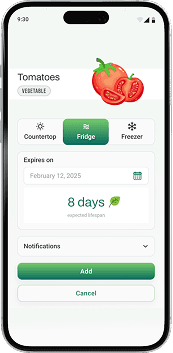
Add your food
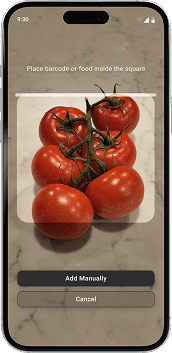
Scan your food or barcode for quick entry.
Allow AI to set the expected expiration date.
Adjust settings to your needs.
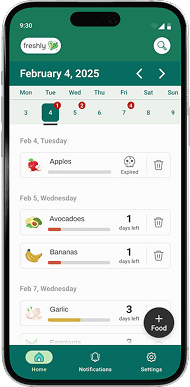

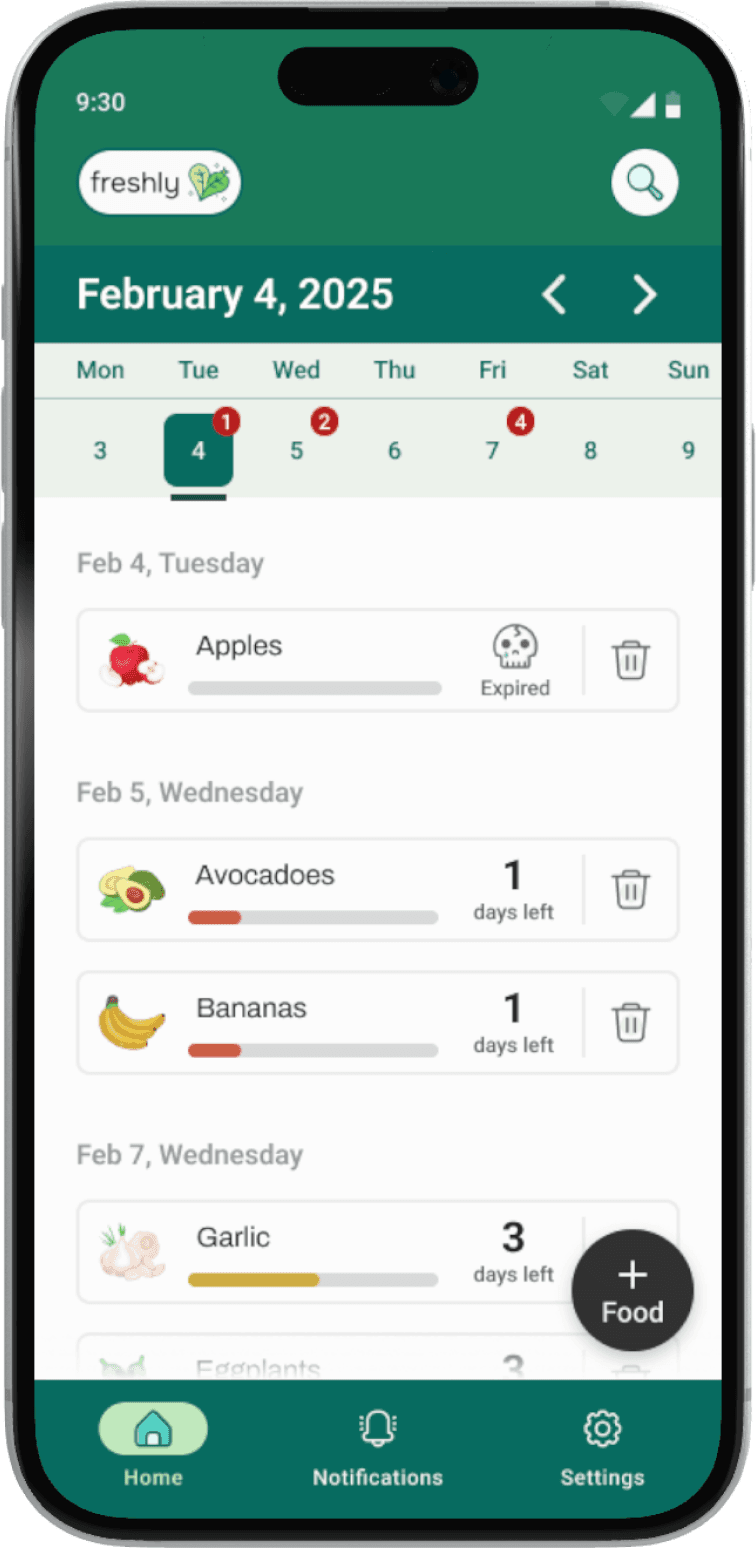
Track its expiration date
Monitor the status of your food at-a-glance to plan your meals accordingly.
Search for specific ingredients by name.
Have quick access to adding a new food entry.

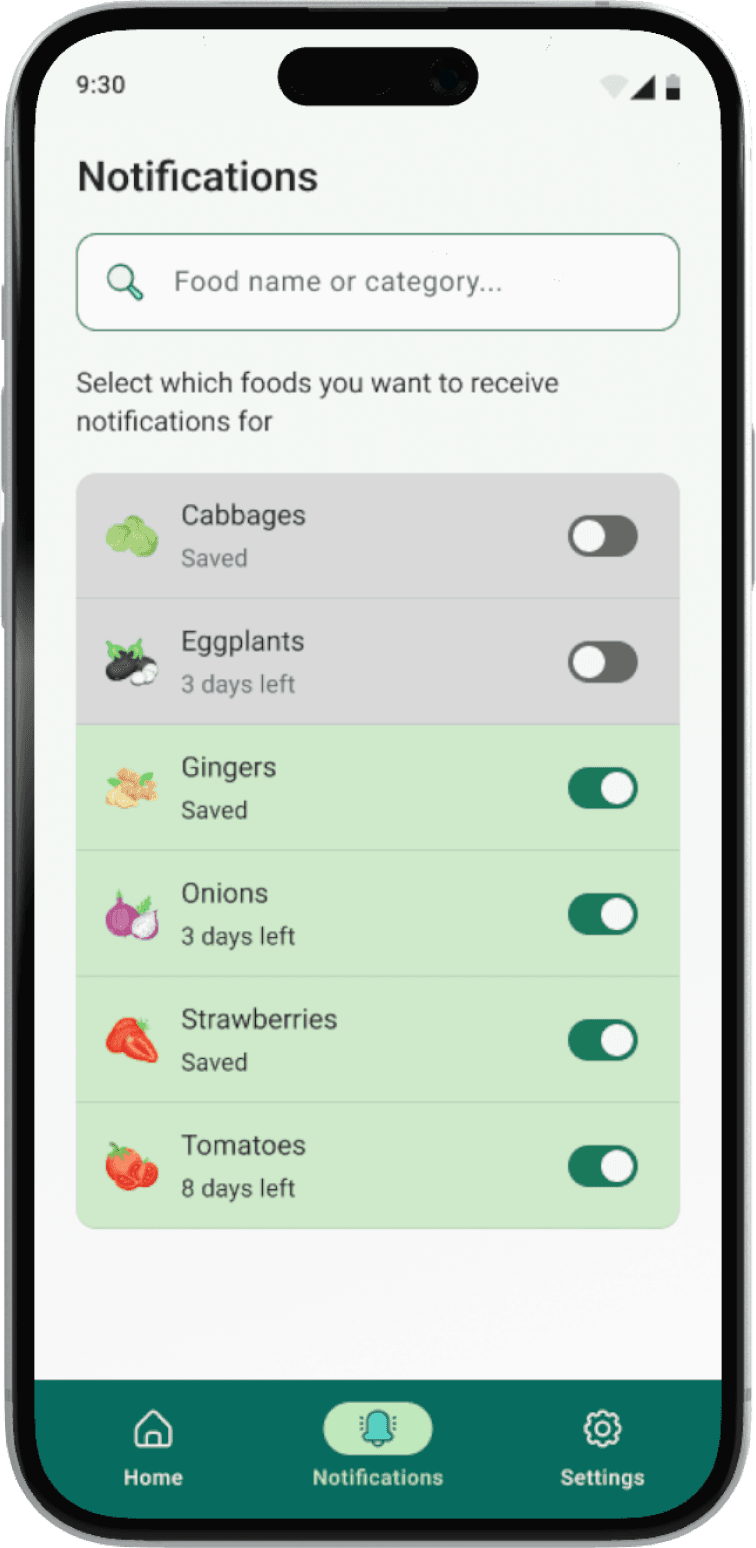
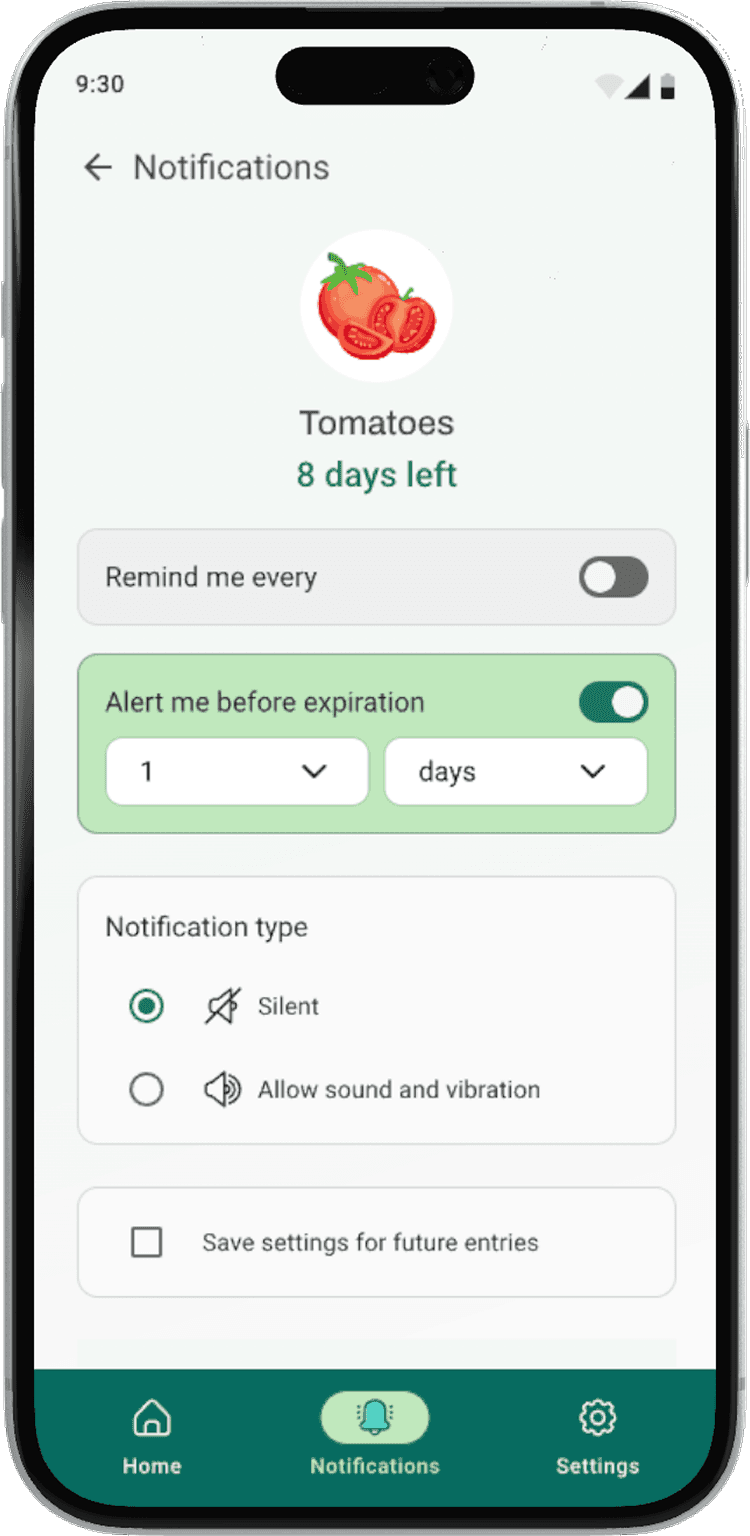
Customize your notifications
Search for specific ingredients by name.
Adjust its notification settings to your needs.
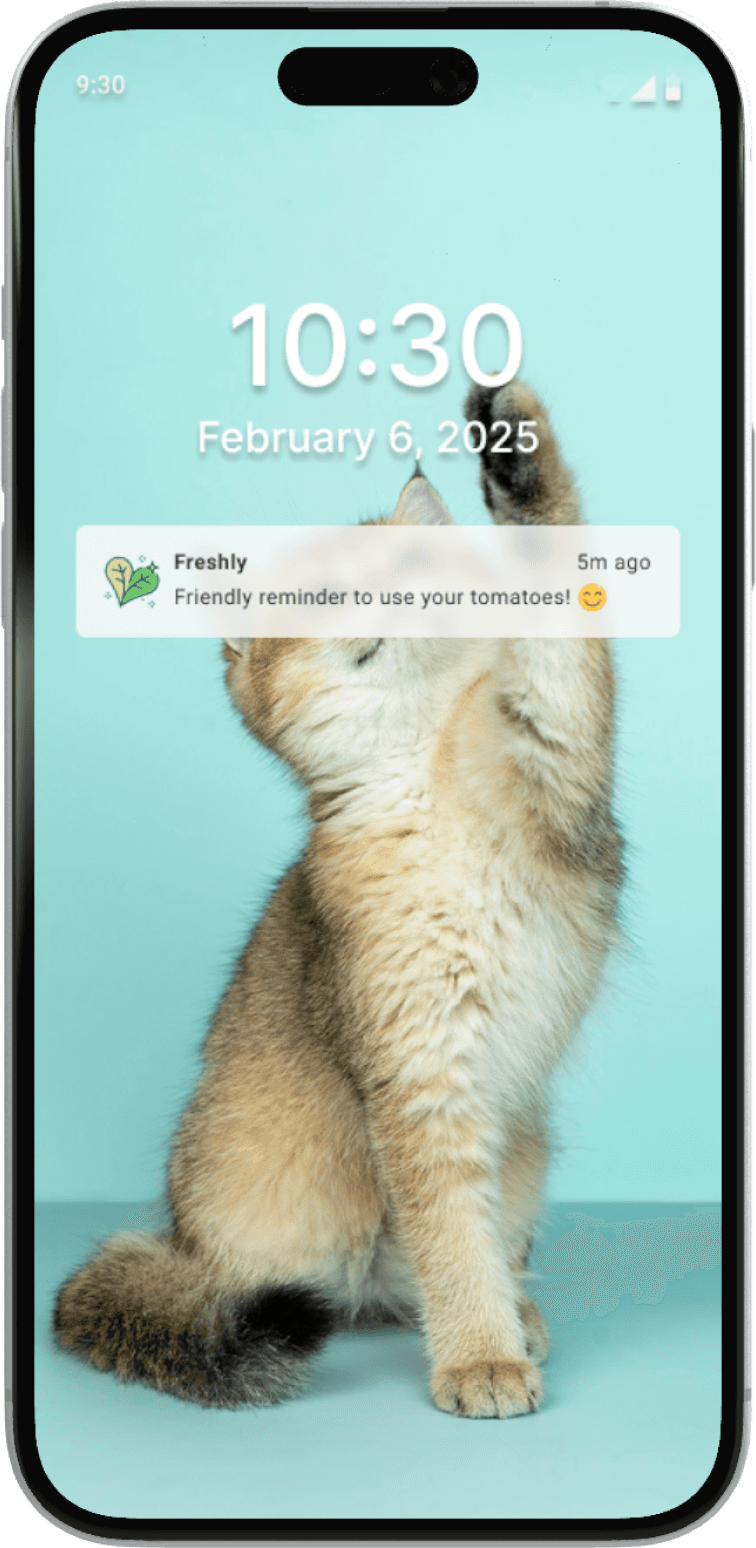
Get reminders and alerts for active foods.
PROBLEM SPACE
1.05 billion tonnes of food wasted globally
To understand the severity of this problem, I did some research and that's when I stumbled upon this 2022 report by the United Nations Environment Programme
"In 2022 there were 1.05 billion tonnes of food waste generated (including inedible parts), amounting to 132 kilograms per capita and almost one-fifth of all food available to consumers. Out of the total food wasted in 2022, 60 per cent happened at the household level, with food services responsible for 28 per cent and retail 12 per cent.”
COMPETITIVE ANALYSIS
Unfortunately, given the tight timeline of this course, we were only able to conduct user interviews to gather meaningful data. However, we gained valuable insights into the benefits of this method, preparing us to apply it more effectively in future projects.
USER INTERVIEWS
Who could use this?
I conducted 4 interviews: one with a restaurant owner 👨💼, a mother 👩👦, a senior 👵, and a homecook 👩🍳. I wanted to gain insights into common food management behaviors and strategies used by people who handle food on a daily basis.
RESEARCH QUESTIONS:
Tell me about the last time you had to throw away food because it expired?
How often do you find yourself throwing food away because it has expired?
Do you keep track of expiration dates? Why or why not?
How do you feel when you have to throw food away?
Would you be open to using technology to assist?
THE MAIN INSIGHT
My interviewees do not keep track of their food due to time constraints.
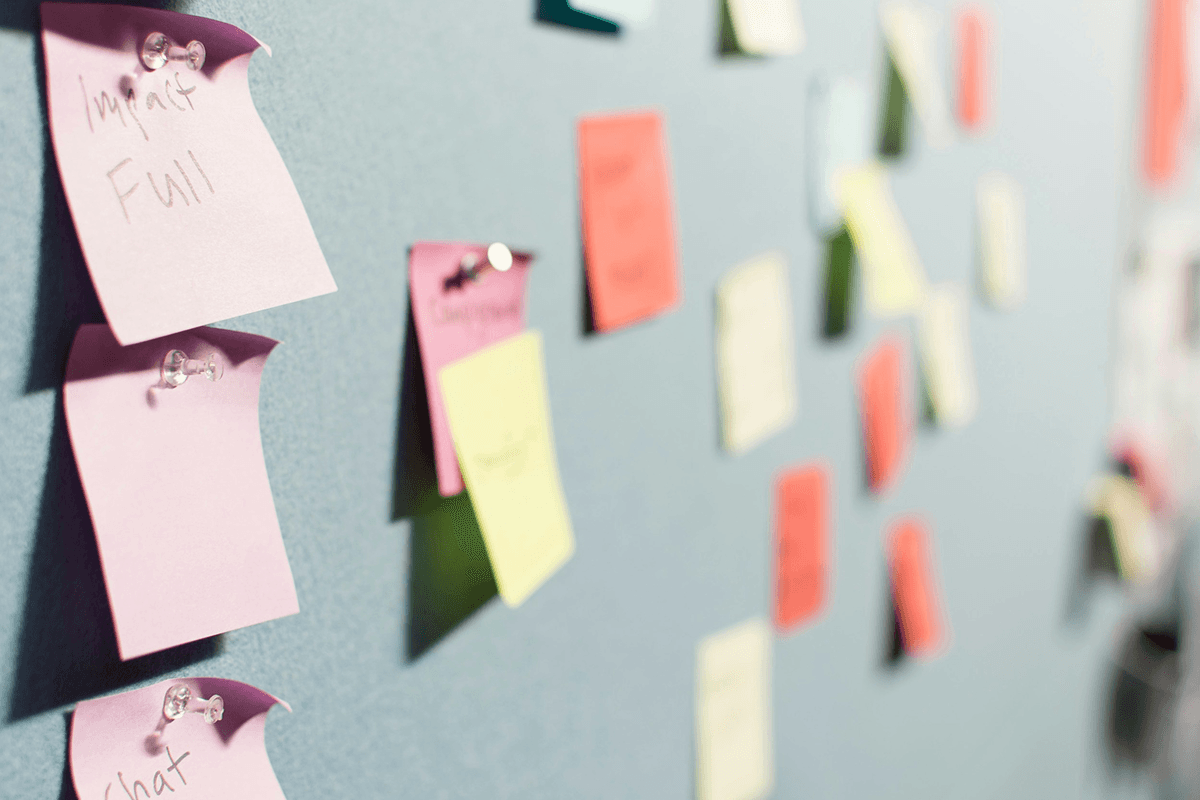
Trends in my affinity map indicate that without a fast and efficient way to track food, people are less likely to manage expiration dates, leading to unintended food waste and frustration over lost money and resources.
Major Insights
Theme 1: Time Constraints and Prioritization
Many people mention being too busy to track expiration dates or label food manually.
Theme 2: Food Waste and Guilt
Many people feel bad about throwing food away because it’s a waste of money.
Theme 3: Technology and Convenience
There is resistance to using technology for tracking expiration dates due to concerns about manual data entry and lack of technical skills.
THE BUSY PROFESSIONAL PERSONA

Olivia Miller
36
Marketing Manager
Toronto, ON
Lives by herself
Motivations
Health and wellness
Productivity and time management
Financial responsibility and smart spending
Technology and automation enthusiasm
Goals
Reduce food waste
Save time planning meals
Improve financial efficiency
Maintain a clutter-free and organized kitchen
Paint points
Forgetting expiration dates and food waste
Time consuming manual tracking
Overbuying and budget waste
Last minute meal planning
DESIGN
Mobile with AI Technology
With mobile phones widely available and the rise in AI technology, I realized that combining these two elements would offer the most accessible solution, providing users with a seamless and efficient experience.
TESTING + IMPROVEMENTS
1 minor and 1 major improvements in my design
Based on various feedback from user testing and my mentors, I continually iterated my design over the span of 2 weeks—with 1 minor and 1 major improvements:
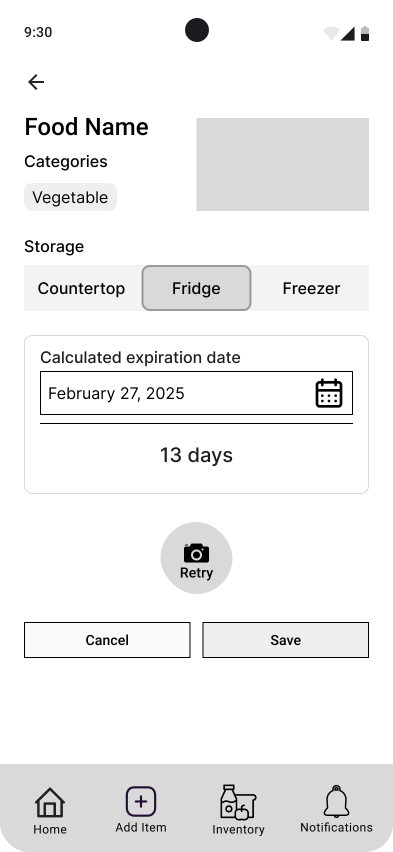
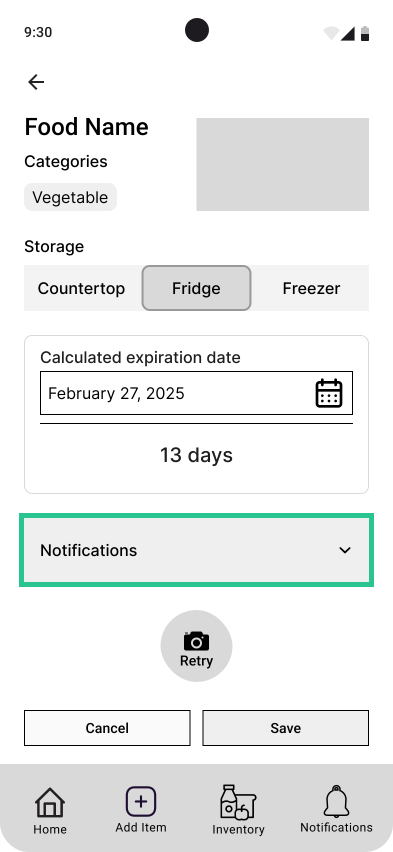
Notifications Dropdown Menu
Notifications were initially left out of the page to avoid cognitive overload.
However, users expected to access this setting in the same page.
As a compromise, notifications were added as a dropdown menu—keeping the setting visible without adding clutter.
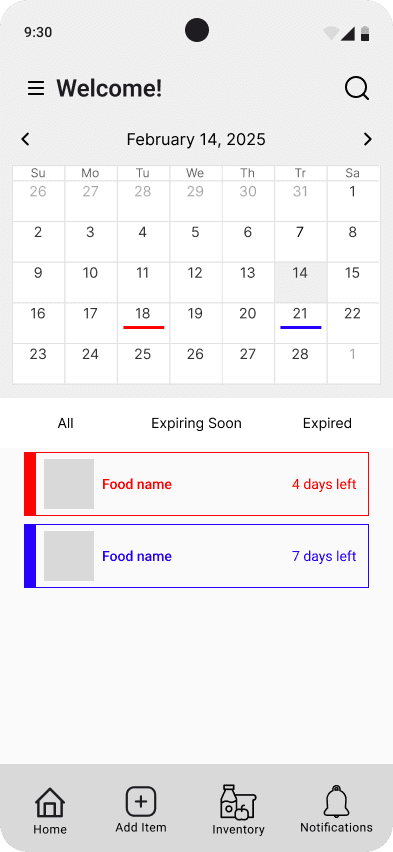
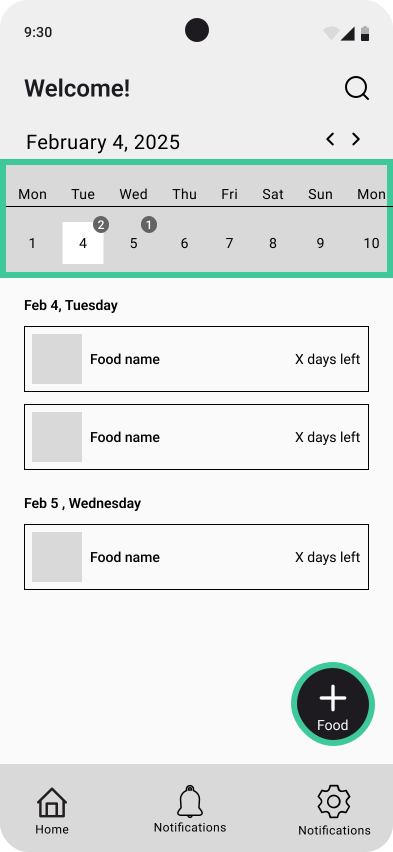
Homepage Re-design
A calendar with a color-coding system was initially used to give a quick overview.
However, user testing showed that the calendar distracted from the main task of adding food.
The color-coded system also raised scaling and accessibility concerns.
The redesign simplified the calendar to a weekly view, reducing its hierarchy and highlighting the FAB button to add food.
THE FINAL SCREENS
The final product

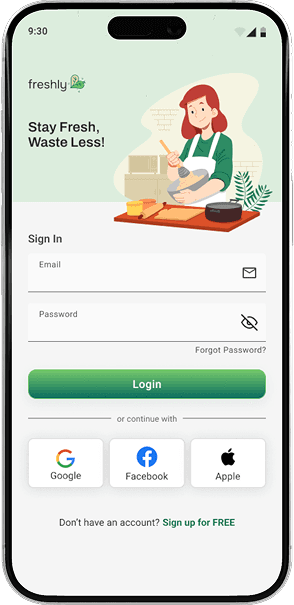
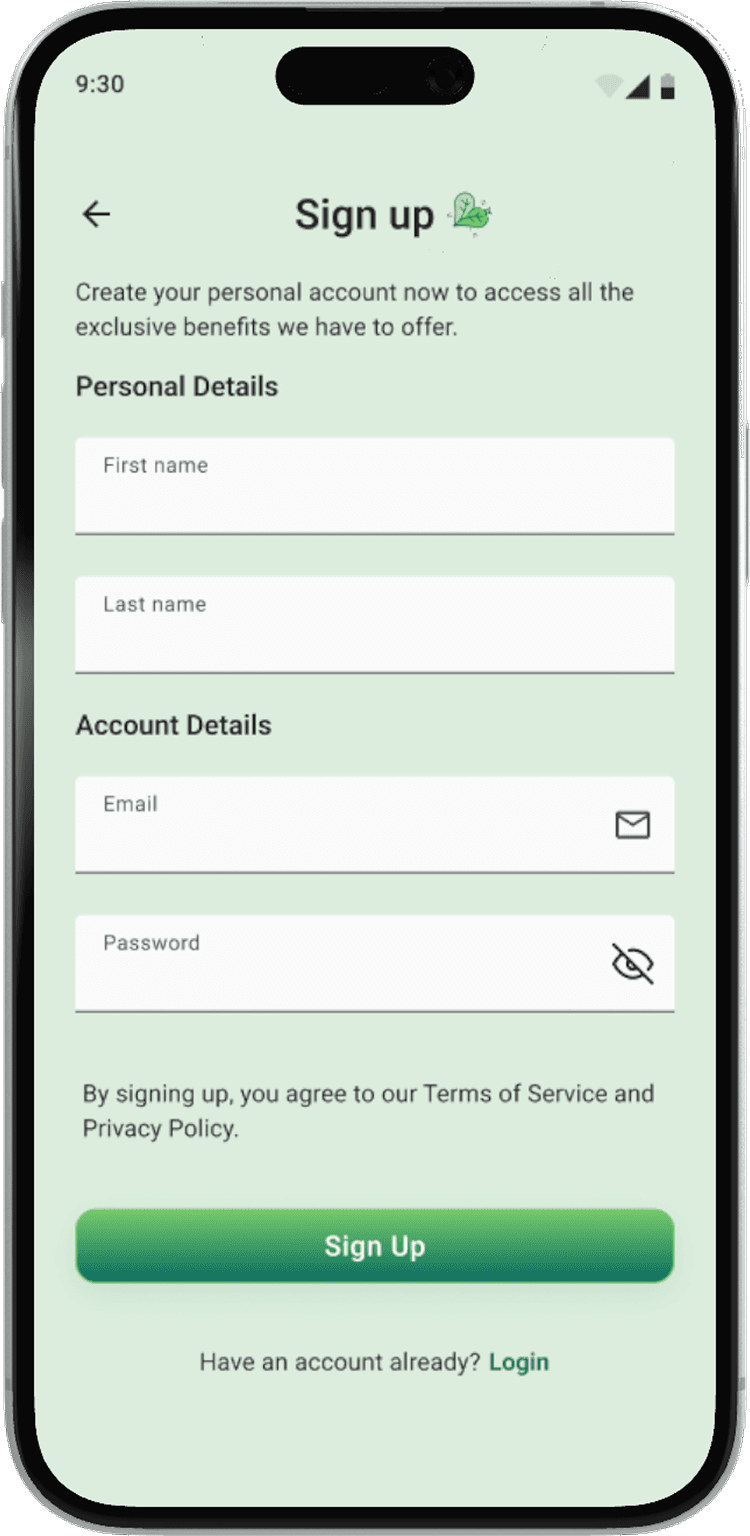
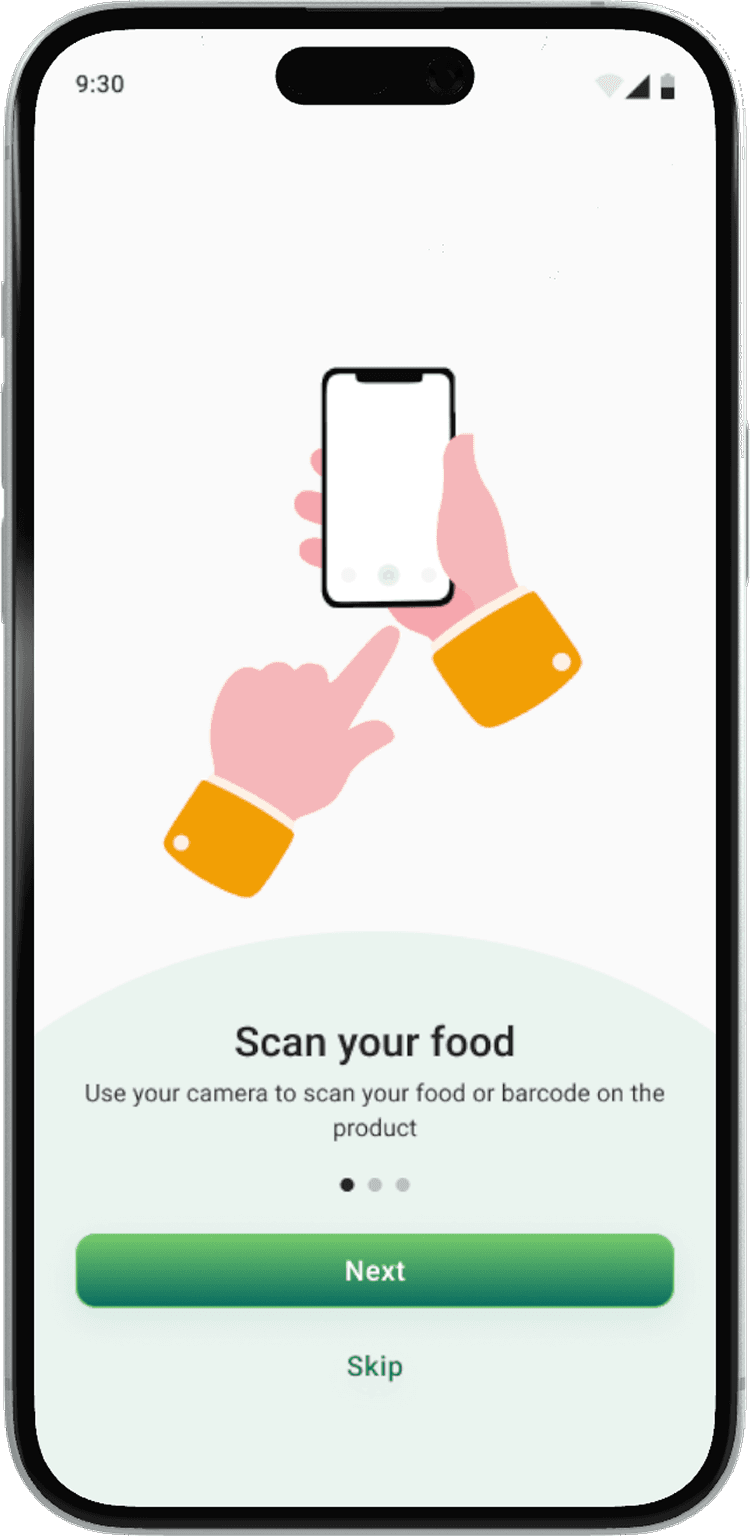
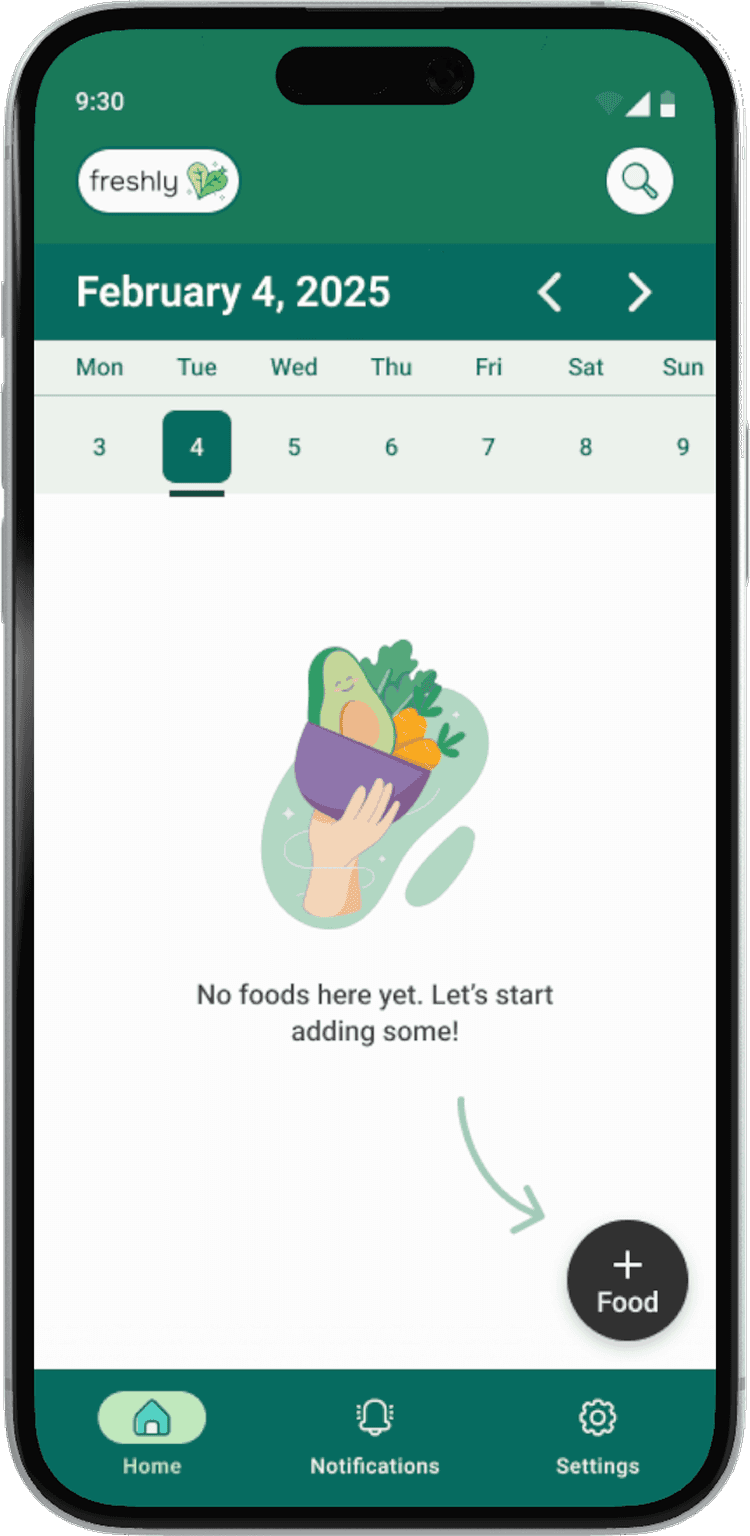
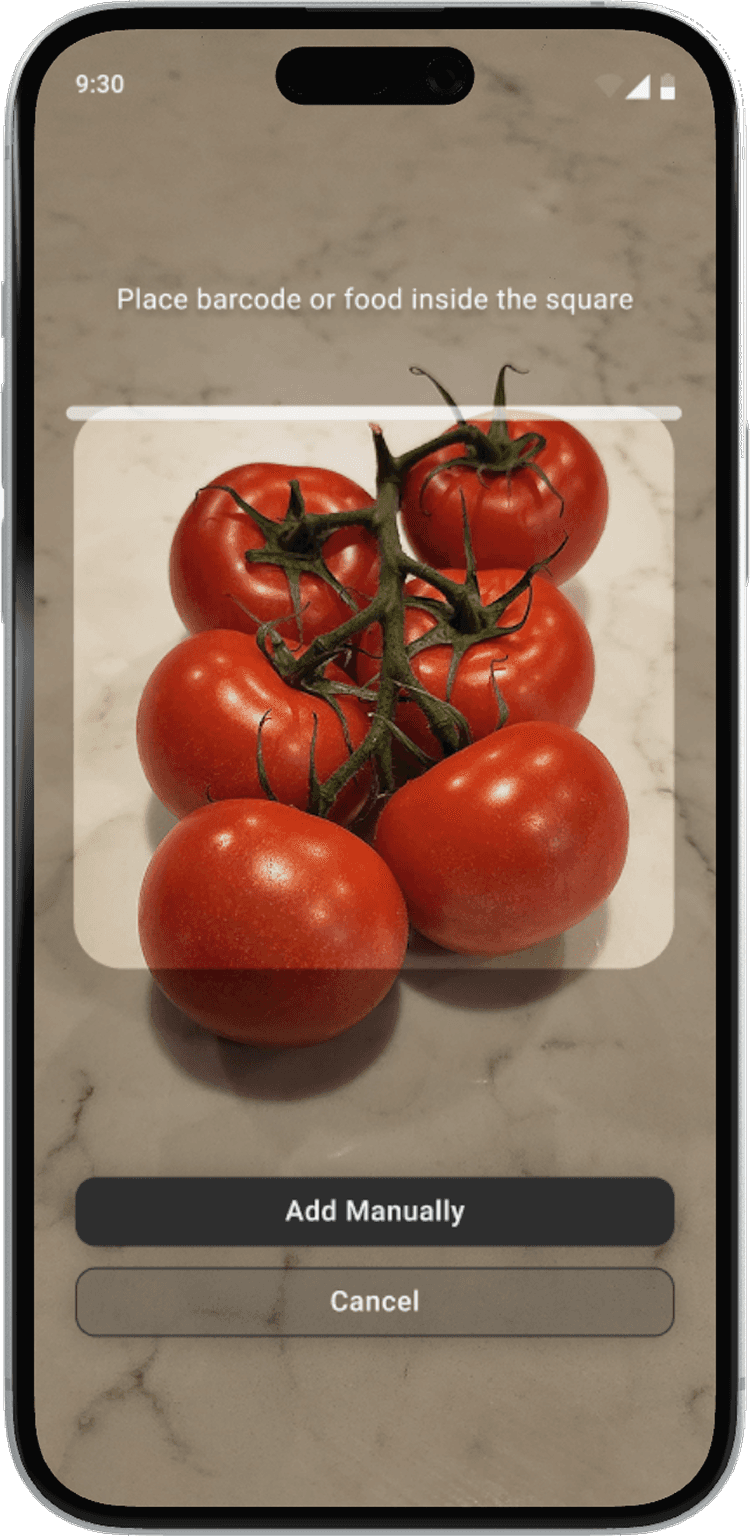
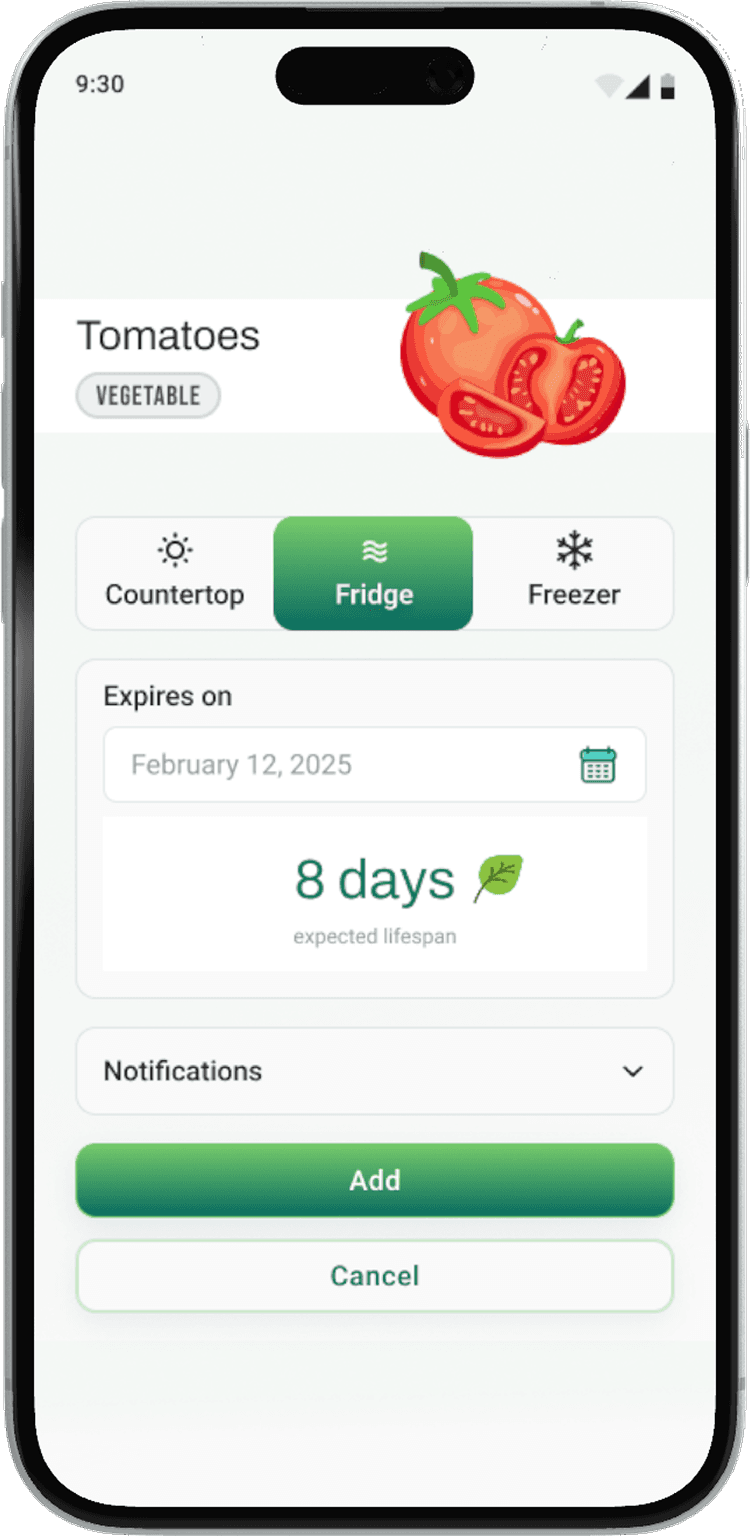
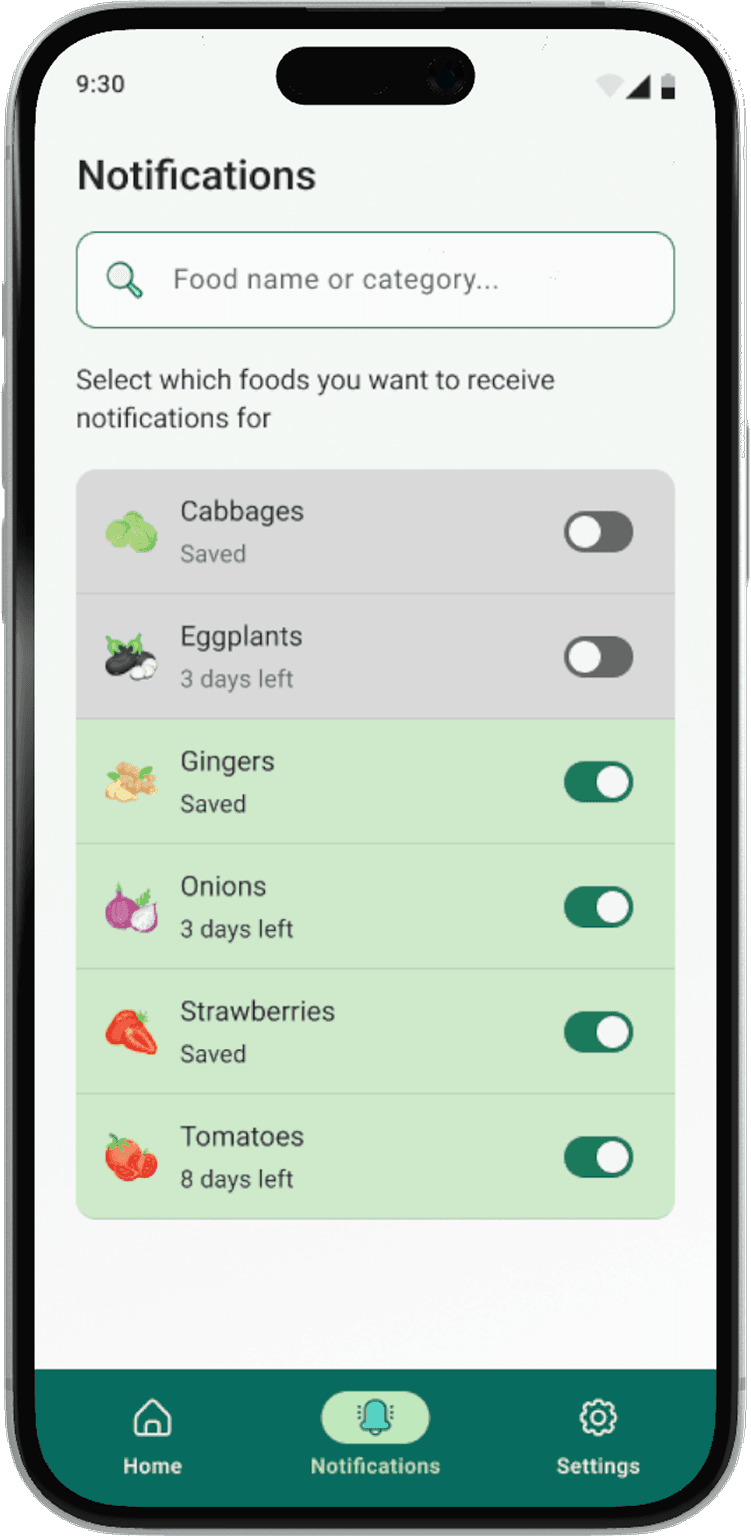
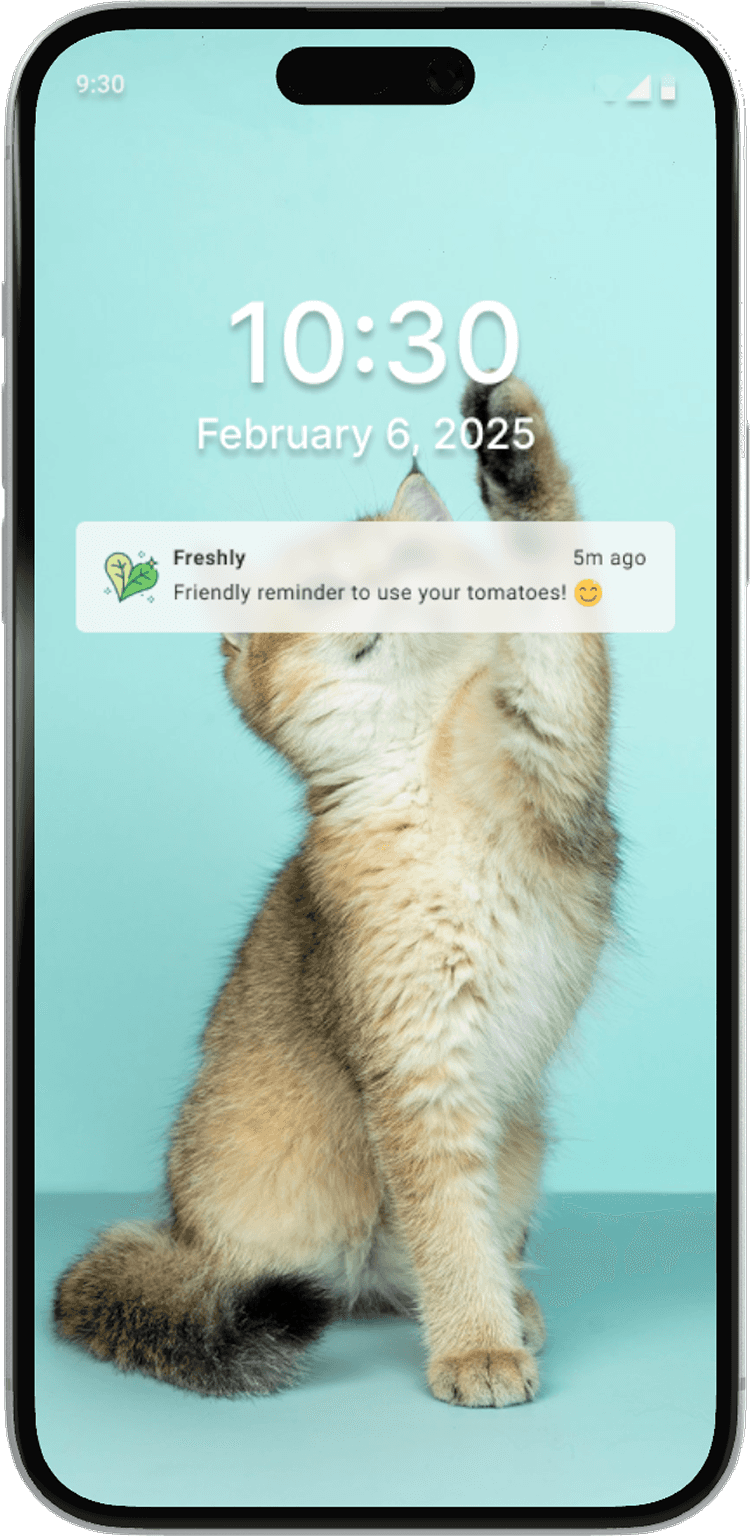
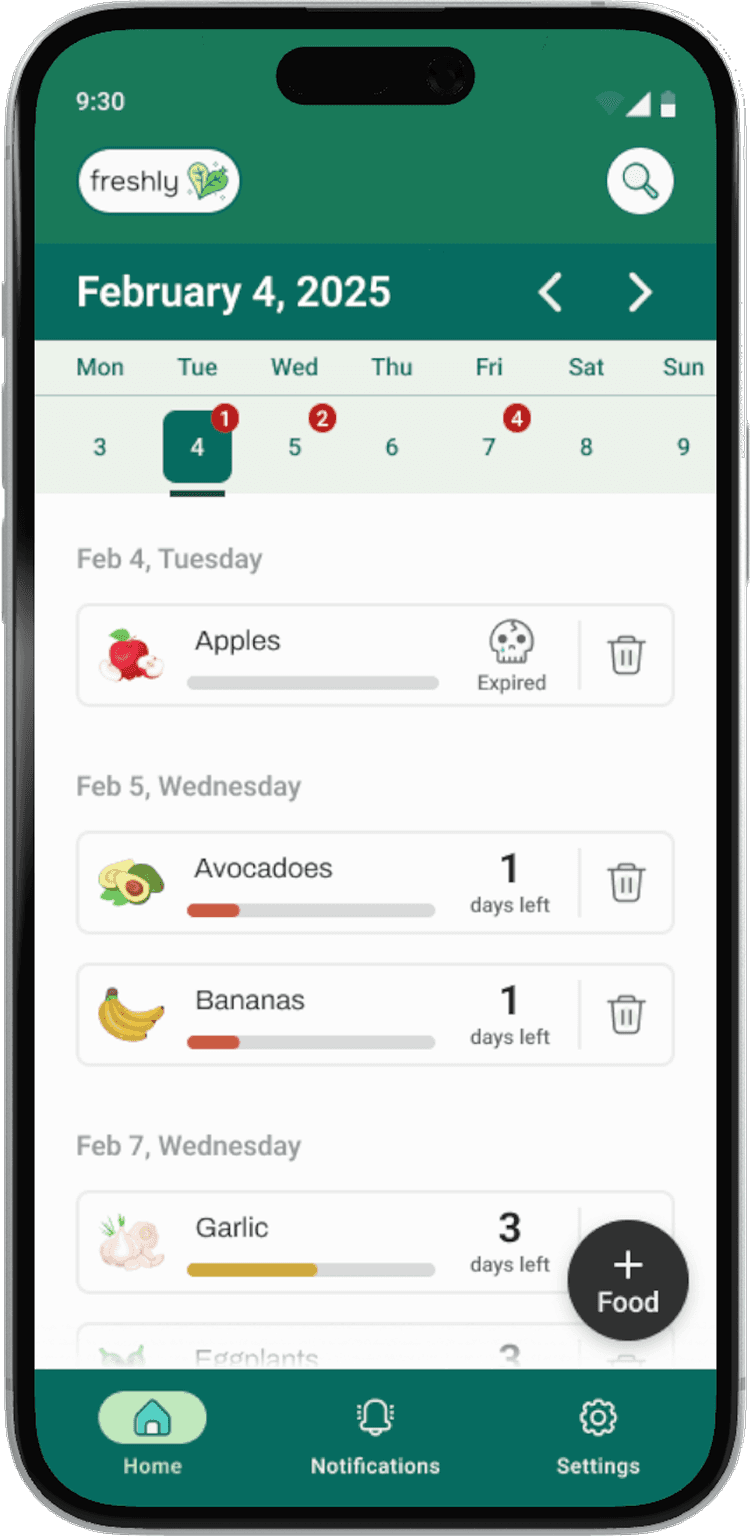
PROTOTYPE
Created with Figma
The Style Guide
Colors
Logo
Application Icon
Typography
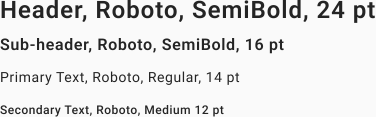
Grid + Spacing
Components
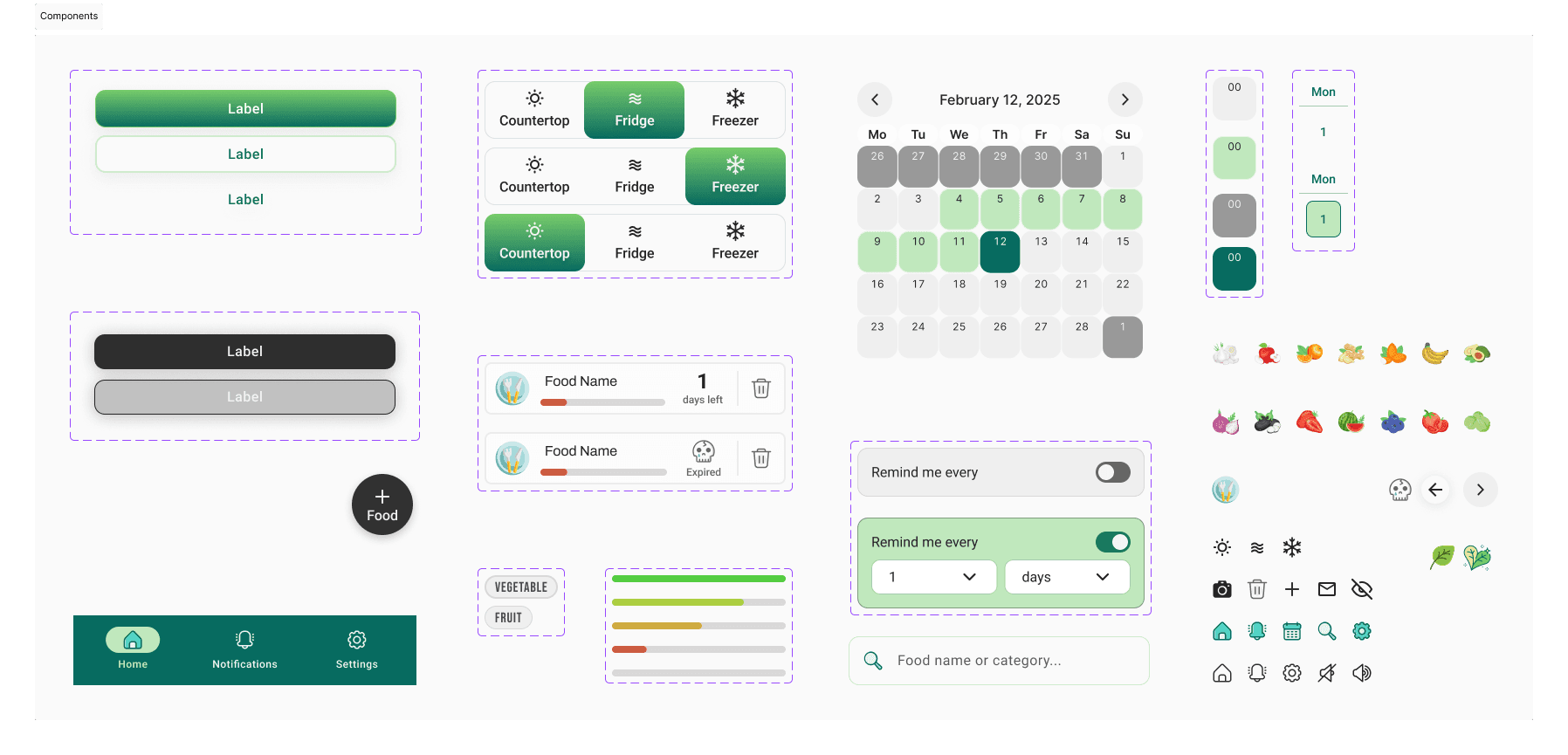
Link to my full Figma work file here.
CONCLUSION
What I'd do differently next time.
This was my second UX project ever, but the first one I would say I'm very proud of. After completing this project, it gave me a better sense of what the work is actually like. With that in mind, here are a few things I've learned:
Importance of technical feasibility. During my ideation phase, I knew I wanted to leverage AI in a way to quickly and efficiently make the user experience as seamless as possible, though I wasn’t fully clear on its capabilities. After conducting some tests, I was able to validate the direction that I had envisioned and become more confident in my solution.
Designing with real user mental models in mind. Initially, I thought a calendar view would be the best approach for managing items by time. However, after receiving feedback, I realized that the design was flawed due to my oversight on users having varying expectations when seeing a calendar. This experience has made me more mindful and intentional about feature design, encouraging me to truly step into the user's shoes rather than just writing about their experiences.
More projects:

Copyright © 2025 Reina Villanueva